
Article
If you've never been through a legacy modernization project before, the biggest source of anxiety usually isn't the technology - it's not knowing what the next six to twelve months will actually involve. Who's on the team? What happens first? When do you find out if something's going to break? This is a plain walkthrough of the actual shape of a modernization engagement, based on how we run them.
The phases, in order
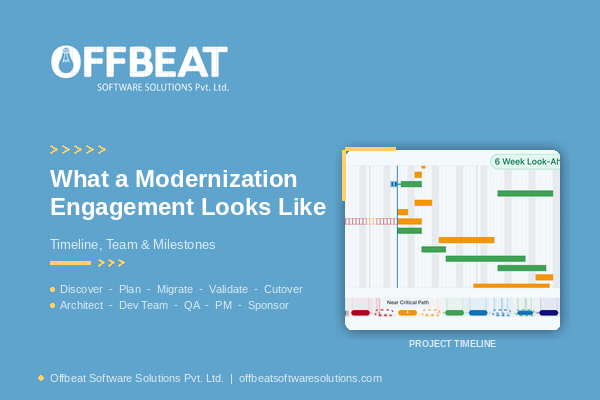
Every engagement we run follows the same backbone, adapted to the system in front of us: ASSESS -> MAP -> PRIORITIZE -> MODERNIZE -> VALIDATE -> TRANSITION -> EVOLVE.
-
Assess: We inventory the existing system - code, database schema, integrations, deployment process, and anything undocumented that only exists in someone's head. For a system like the 10-year-old ASP.NET Forms POS platform we modernized for a multi-restaurant retail client, this stage surfaced that the original team had no documentation to work from at all - which changed everything about how we approached the rest of the project.
-
Map: We map dependencies - what talks to what, what breaks if a piece changes, where the real risk concentrates. This is where "big bang rewrite" ideas usually get ruled out in favor of something more incremental.
-
Prioritize: Not everything gets modernized at once. We rank components by business risk and technical risk, and sequence the work so the riskiest, most load-bearing pieces get the most testing time.
-
Modernize: The actual build - migrating a database, rebuilding a service, replacing a deprecated framework. For the retail POS project, this meant a phased path: database first (MySQL to PostgreSQL), then the architecture (monolith to .NET Core microservices), then the frontend (React).
-
Validate: Nothing goes live without proof it behaves the same as - or better than - the system it's replacing. This usually means running the new and old systems in parallel and comparing output before cutover.
-
Transition: Cutover happens in stages, not in one leap, so a problem in one piece doesn't take down the whole system.
-
Evolve: Once the migration is stable, the system is positioned to actually keep improving - which was the entire point.
Who's actually on the team
A typical engagement isn't just "engineers." Depending on scope, you're working with a solution architect (owns the migration strategy and risk sequencing), backend and frontend engineers (do the actual build), a QA/testing function (owns the parallel-validation work), and a single point of contact who's accountable for the whole engagement rather than routing you through a rotating cast of people.
How long does it actually take
There's no honest single number here - a field-tracking platform being rebuilt off a discontinued browser plugin (as we did for regionSEE, migrating off Silverlight onto ASP.NET MVC 5.0) is a different scope than a database-and-architecture overhaul like the retail POS project. What's consistent across both is that the timeline gets set during the Assess/Map phases, not guessed at the start - because until you know what's actually in the system, any date you give is a placeholder.
Where the risk actually gets managed
The single biggest question we get asked is some version of "what if it breaks in production." The honest answer is: that risk gets managed by never doing a single cutover. Parallel testing - running new and old side by side and confirming they agree - is what let us migrate the retail POS system's database, then its architecture, then its frontend, without a single all-at-once switch. A phased approach costs more calendar time upfront. It's also the reason a mission-critical system stays running while it's being rebuilt underneath.
What this means before you start
If a vendor's pitch skips straight to "we'll rewrite it in six weeks" without an assessment phase, that's worth questioning - not because speed is bad, but because you can't sequence risk on a system you haven't actually mapped yet. The assessment isn't overhead. It's what makes the rest of the timeline honest.
If you're inheriting a legacy system and want a clear picture of what a modernization engagement would actually look like for your specific situation - not a generic timeline - that's exactly what an assessment is for.
Ready to map out your software roadmap? Request a Legacy System Assessment — we'll respond within 48 hours with next steps.